
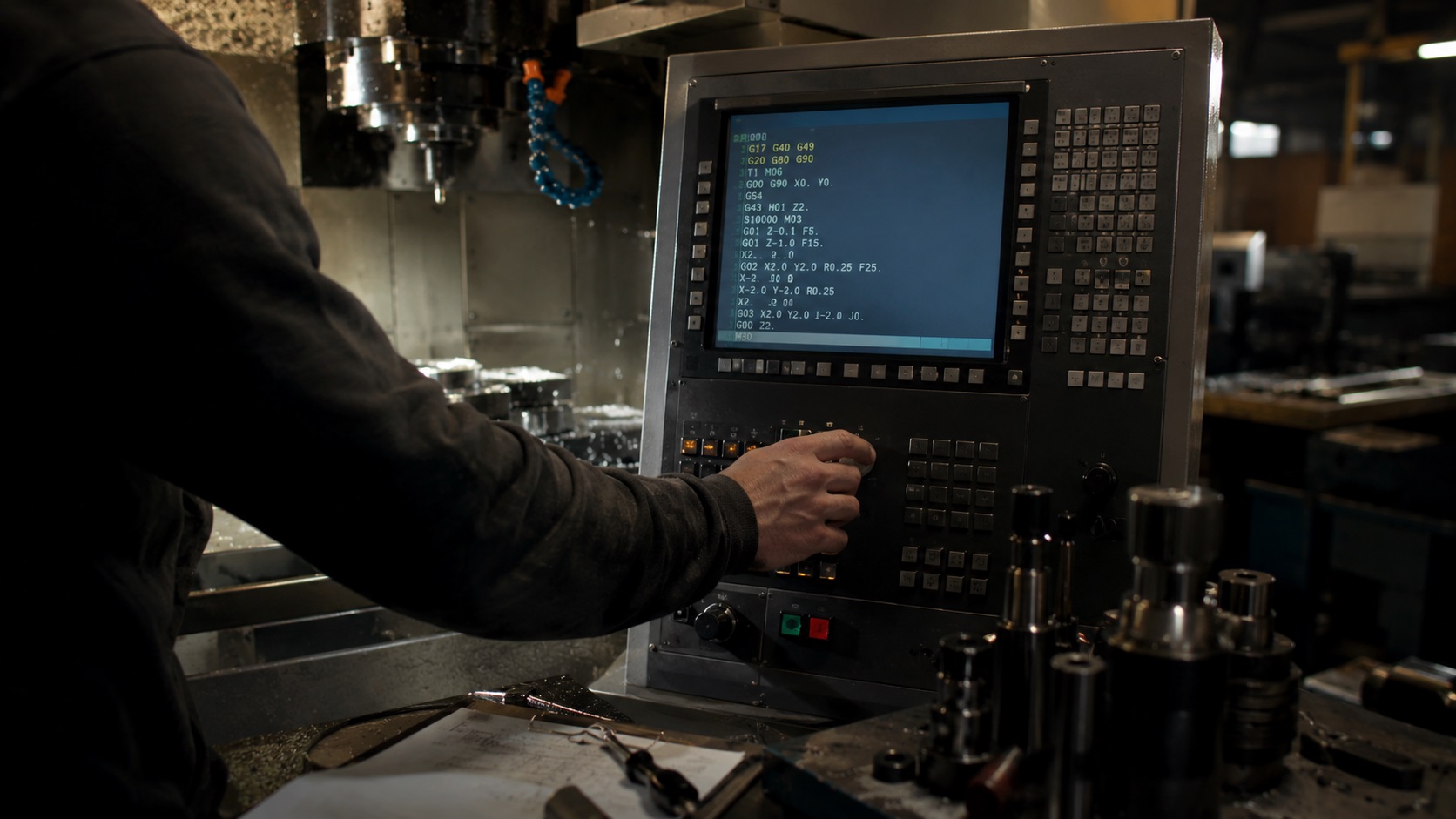
What G-Codes Do You Actually Need to Learn First?
A beginner does not need to memorize hundreds of CNC commands to start machining safely. Most real-world CNC setup work relies on a small group of G-codes like G00, G01, G83, spindle commands, coolant commands, and MDI moves. Learning these core commands first is usually the fastest way to become comfortable around a CNC machine without feeling overwhelmed by programming theory.
Most beginners search for a G-code cheat sheet because CNC programming initially looks far more complicated than it actually is. The good news is that experienced machinists rarely use every available code daily either.
In real fabrication shops, operators repeatedly rely on the same small group of commands for:
- setup work
- positioning
- drilling
- tool changes
- spindle control
- basic cutting operations
From real workshop experience, a machinist who fully understands 10 core CNC commands usually works safer and faster than someone who memorized 100 codes without understanding machine behavior.
That difference becomes obvious during setup work, edge finding, manual MDI moves, and troubleshooting mistakes before they become crashes.
Why Most Machinists Only Use a Small Number of G-Codes Daily
Modern CAM software generates most complex toolpaths automatically. Even in production environments, operators still spend most of their time dealing with:
- machine positioning
- spindle control
- feedrate adjustments
- offsets
- setup verification
- drilling cycles
- safe movement
That means a surprisingly small number of commands handle most daily CNC tasks.
| Command | Function | Typical Use | Beginner Risk | Why It Matters |
|---|---|---|---|---|
| G00 | Rapid move | Positioning between cuts | High | Fastest machine movement |
| G01 | Controlled feed move | Actual cutting | Low | Safer predictable motion |
| F | Feedrate | Controls cutting speed | Medium | Prevents chatter and rubbing |
| S | Spindle RPM | Sets spindle speed | Medium | Controls heat and tool life |
| M03 | Clockwise spindle | Standard milling rotation | Medium | Starts cutting correctly |
| M05 | Spindle stop | Stops spindle | Low | Safe setup adjustments |
| M08 | Flood coolant | Cooling and chip evacuation | Medium | Prevents overheating |
| T + M06 | Tool change | Loads tool into spindle | High | Offset mistakes cause crashes |
| G83 | Peck drilling | Deep hole drilling | Medium | Prevents chip packing |
One common beginner mistake is focusing too heavily on memorization instead of machine movement.
CNC becomes dramatically easier once you start understanding what the machine physically does after every command.
What Is G-Code in CNC Machining?
G-code is the programming language CNC machines use to control:
- axis movement
- spindle operation
- coolant systems
- drilling cycles
- tool changes
- machine positioning
Each command tells the machine to perform a specific action.
For example:
G01 X2.0 Y1.0 F20This command tells the machine to:
- move in a straight line
- travel to X2.0 Y1.0
- move at a feedrate of 20
In real machining environments, G-code feels less like computer programming and more like issuing direct movement instructions to the machine.
That mindset helps beginners learn much faster.
If you are completely new to CNC equipment, understanding what CNC machining actually is first makes G-code dramatically easier to understand.
G-Codes vs M-Codes
Many beginners confuse G-codes and M-codes during the first few weeks of learning CNC.
| Type | Purpose | Examples | What It Controls |
|---|---|---|---|
| G-Code | Motion and machining operations | G00, G01, G83 | Machine movement |
| M-Code | Machine functions | M03, M05, M08 | Spindle, coolant, tooling |
The simplest way to think about it is:
- G-codes move the machine
- M-codes control machine functions
That distinction matters during troubleshooting because movement problems and machine-state problems are often completely different issues.
For example:
- incorrect feed motion usually involves G-code
- spindle not turning usually involves M-code or machine setup
Why MDI Mode Changes Everything
MDI stands for Manual Data Input.
Instead of writing an entire CNC program, the operator types a single command and executes it immediately.
This is one of the fastest ways for beginners to start interacting with a CNC machine confidently.
For people transitioning from manual equipment, the learning curve becomes much easier once you understand how operators become CNC machinists or programmers in real shop environments.
MDI becomes extremely useful for:
- edge finding
- quick drilling
- manual positioning
- setup moves
- tool touch-offs
- facing stock
- test cuts
- proving out movements
In real shops, experienced machinists constantly use MDI because generating a CAM program for every small task wastes time.
Many manual machinists transitioning into CNC become comfortable much faster once they realize MDI behaves almost like a highly accurate digital power feed.
Essential G-Code Cheat Sheet Table
| Code | Function | Typical Use | Common Beginner Mistake |
|---|---|---|---|
| G00 | Rapid positioning | Fast movement between cuts | Crashing into fixtures |
| G01 | Linear feed move | Controlled cutting | Wrong feedrate |
| G02 | Clockwise arc | Circular interpolation | Incorrect I/J values |
| G03 | Counterclockwise arc | Circular interpolation | Wrong arc direction |
| G20 | Inch mode | Imperial programming | Mixing inch and metric |
| G21 | Metric mode | Metric programming | Wrong unit setup |
| G28 | Return home | Machine reference return | Unexpected machine travel |
| G40 | Cancel cutter compensation | Safe toolpath reset | Forgetting active compensation |
| G43 | Tool length offset | Correct tool positioning | Wrong H offset |
| G54 | Work offset | Part zero location | Incorrect work coordinates |
| G80 | Cancel canned cycle | Stops drilling cycle | Forgetting active cycle |
| G81 | Standard drilling | Simple holes | Incorrect retract height |
| G83 | Peck drilling | Deep hole drilling | Chip packing |
| M03 | Spindle clockwise | Standard milling rotation | Reverse spindle confusion |
| M04 | Spindle reverse | Tapping/lathe operations | Wrong spindle direction |
| M05 | Stop spindle | Setup and inspection | Forgetting spindle is active |
| M06 | Tool change | Automatic tool swap | Incorrect tool loaded |
| M08 | Flood coolant on | Cooling during cuts | Dry cutting accidentally |
| M09 | Coolant off | Cleanup and tool changes | Leaving coolant active |
The Most Important Beginner CNC Commands Explained
G00 Rapid Positioning
G00 X0 Y0G00 moves the machine at maximum rapid speed.
This is one of the most dangerous commands beginners encounter because the machine does not slow down simply because something is in the way.
From real workshop experience, many first crashes happen because operators underestimate how aggressively industrial CNC machines accelerate during rapid moves.
Even a small typo can drive the spindle directly into:
- vises
- clamps
- probes
- rotary tables
- fixtures
- workholding
One dropped decimal place can become an expensive lesson extremely quickly.
Many experienced machinists intentionally avoid G00 during early training and use slower G01 feed moves instead until machine awareness improves.
G01 Linear Feed Move
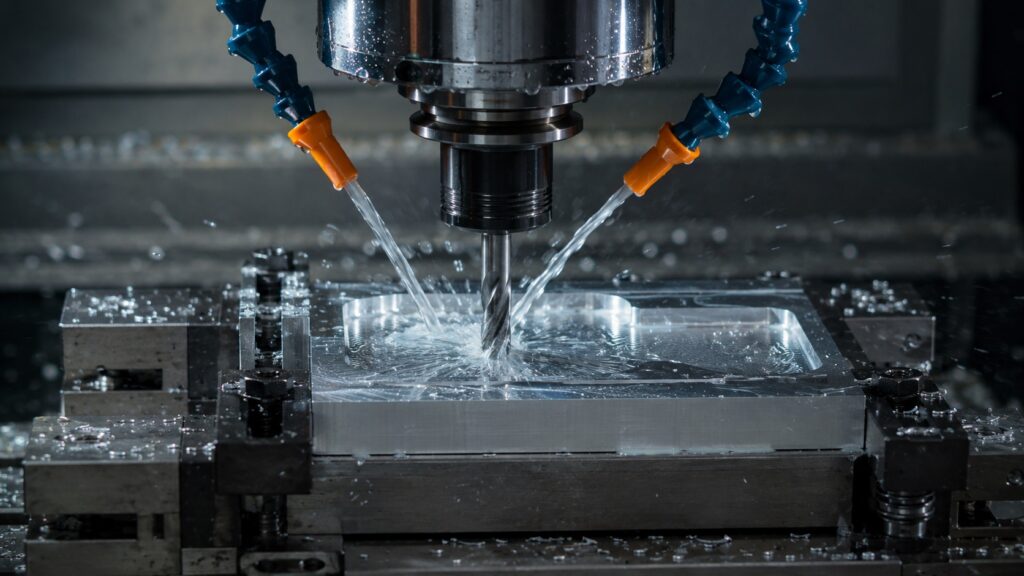
G01 X1.0 Y0.5 F20G01 creates controlled movement using the programmed feedrate.
Unlike G00, the machine moves predictably and much slower, making it safer during setup and close-clearance work.
This is usually the first movement command beginners should become comfortable with.
In real fabrication shops, many machinists intentionally switch to G01 when:
- approaching fixtures
- touching off tools
- edge finding
- positioning near expensive vises
- testing unfamiliar setups
That extra caution prevents a surprising amount of tooling damage.
F Feedrate Command
F20The F command controls feedrate during cutting motion.
Feedrate mistakes create many common beginner problems:
- chatter
- broken drills
- poor surface finish
- excessive heat
- built-up edge
- spindle overload
- chip welding
Many DIY users accidentally run carbide tooling far too slowly, especially in aluminum. Similar heat and friction problems are one reason many machinists study why steel turns blue when heated during machining and grinding operations.
Instead of cutting properly, the tool starts rubbing and generating heat.
You usually notice this through:
- squealing sounds
- shiny chips
- discoloration
- smearing
- poor chip evacuation
before the tool eventually fails.
Experienced machinists often judge feedrate problems by sound before measuring anything else.
S Spindle Speed Command
S1200The S command sets spindle RPM.
Spindle speed directly affects:
- heat generation
- tool life
- chip formation
- surface finish
- cutter stability
Incorrect spindle speed is one of the fastest ways to destroy tooling.
In real shops, beginners often run drills too fast in steel or too slow in aluminum. Understanding how to check the hardness of metal also helps explain why different materials react differently during cutting.
Both situations create unnecessary heat buildup.
You will usually notice:
- blue chips
- smoke
- poor finish
- excessive vibration
- shortened tool life
when spindle speed is incorrect.
M03 / M04 / M05 Spindle Control
| Code | Function | Typical Use |
|---|---|---|
| M03 | Clockwise spindle | Standard milling |
| M04 | Counterclockwise spindle | Reverse rotation |
| M05 | Stop spindle | Setup and inspection |
M03 is the standard spindle direction for most milling operations.
One surprisingly common beginner mistake happens after tapping or lathe work, where operators accidentally leave the spindle running in reverse.
You usually hear the problem immediately:
- loud chatter
- rubbing instead of cutting
- poor chip formation
- tool squealing
On some machines, reverse spindle rotation can damage inserts or snap smaller tools almost instantly.
M07 / M08 / M09 Coolant Commands
| Code | Function | Typical Use |
|---|---|---|
| M07 | Mist coolant | Light lubrication |
| M08 | Flood coolant | Heavy cooling |
| M09 | Coolant off | End of operation |
Coolant behavior varies significantly between machines.
In real fabrication environments:
- M07 may activate mist
- M08 may activate flood coolant
- some machines use M07 for air blast
- others repurpose auxiliary coolant outputs entirely
Many beginners accidentally assume every machine behaves identically.
That assumption causes problems quickly.
Dry cutting aluminum accidentally is especially problematic because aluminum chips can weld onto carbide edges within seconds if lubrication is poor. This becomes even more noticeable when cutting aluminum angle for DIY projects without proper lubrication or chip evacuation.
T and M06 Tool Changes
T1 M06This command selects and loads a tool into the spindle.
Tool changes seem simple until offsets enter the equation.
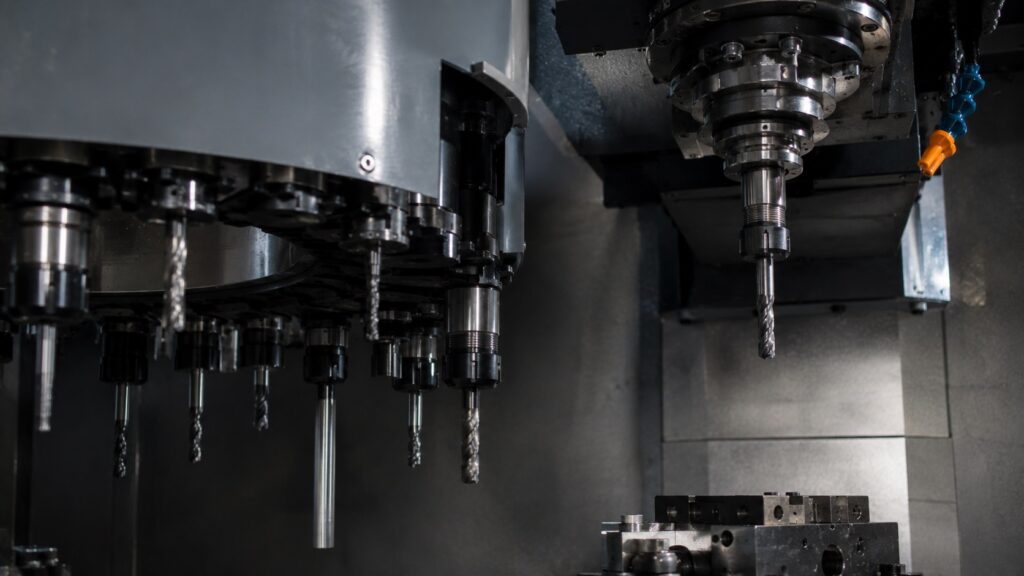
Many serious crashes happen because of:
- incorrect tool length offsets
- wrong tool numbers
- loose holders
- damaged pull studs
- poor taper seating
- incorrect tool setup measurements
Experienced machinists usually verify every loaded tool visually before cycle start, even on reliable machines.
Blind trust causes expensive crashes.
G83 Peck Drilling Cycle
G83 Z-1.0 R0.1 Q0.1 F5G83 performs deep-hole peck drilling.
Instead of drilling continuously, the tool retracts periodically to clear chips from the hole.
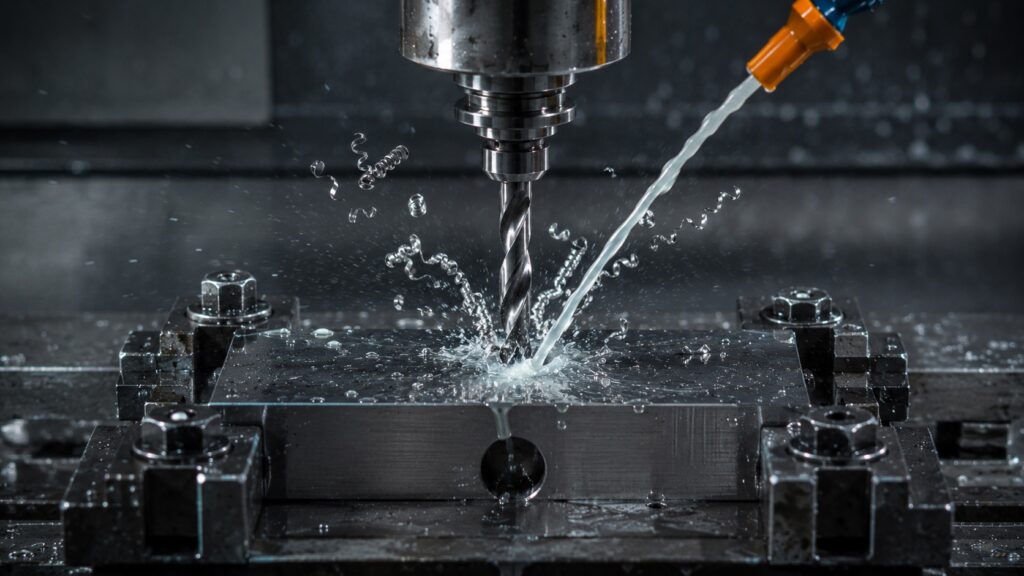
This becomes critical during:
- deep steel drilling
- stainless drilling
- gummy aluminum machining
- small-diameter holes
- poor chip evacuation situations
Without proper chip evacuation, drills often fail from heat buildup or chip packing. If you want a deeper breakdown of deep-hole drilling behavior, see this guide on the G83 peck drilling cycle.
One common beginner mistake is using excessively large peck depths. Chips pack into the flutes before the drill retracts, which often snaps the tool near the flute transition.
G00 vs G01: The Difference That Crashes Machines
This is one of the most valuable beginner CNC concepts to understand early.
| Feature | G00 | G01 |
|---|---|---|
| Speed | Maximum rapid speed | Controlled feedrate |
| Purpose | Positioning | Cutting |
| Risk Level | High | Lower |
| Typical Beginner Mistake | Fixture crashes | Incorrect feedrate |
| Best Beginner Use | Safe clearance moves | Setup and cutting |
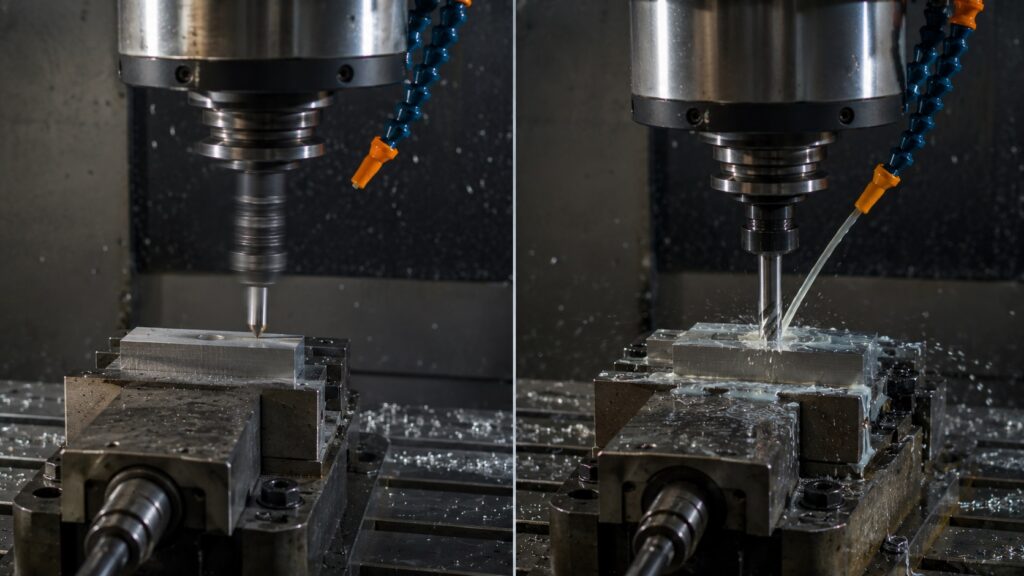
From real workshop experience, rapid motion becomes dangerous much faster than most beginners expect.
Industrial machining centers accelerate violently compared to hobby routers or manual machines.
A typo like:
Z-5.0instead of:
Z-0.5can destroy:
- tooling
- vises
- spindle bearings
- probes
- workholding
- fixtures
within seconds.
That is why many experienced machinists recommend learning MDI using slower G01 feed moves first before relying heavily on G00.
How Beginners Actually Use MDI in Real Workshops
Facing Material
Many machinists quickly face rough stock using simple MDI passes instead of generating full CAM programs.
This is common for:
- weld cleanup
- rough stock preparation
- quick squaring
- removing saw marks
Edge Finding
MDI works extremely well for edge finding and setup positioning.
Small controlled feed moves allow careful positioning without overshooting the workpiece.
Many beginners accidentally jog too aggressively during setup. MDI often provides smoother controlled positioning.
Quick Hole Drilling
Simple drilling operations are often faster through MDI than creating full CNC programs.
Especially for:
- spotting holes
- temporary fixture holes
- setup modifications
- quick bolt patterns
Single-Pass Cleanup Cuts
Quick skim cuts through MDI are common when:
- flattening warped stock
- removing weld distortion
- cleaning flame-cut edges
- correcting rough saw cuts
Common CNC Mistakes Beginners Make
Forgetting Modal Commands
CNC controllers remember active modes.
If G00 remains active, the next coordinate move also becomes rapid motion.
This causes many beginner crashes.
Incorrect Z Direction
On most mills:
- positive Z moves upward
- negative Z moves downward into the part
Many beginners instinctively move the wrong direction during the first few setup sessions.
Wrong Feedrate Units
Feedrate confusion between:
- inches per minute
- millimeters per minute
can overload tooling extremely quickly.
This becomes especially dangerous when switching between metric and imperial programs.
Starting the Spindle Backwards
Reverse spindle rotation causes immediate cutting problems.
This becomes especially dangerous with:
- drills
- taps
- indexable tooling
- small carbide end mills
Dry Cutting Aluminum Accidentally

Aluminum often smears onto tooling rapidly without proper lubrication.
You usually notice:
- squealing
- shiny chip buildup
- poor finish
- welded cutting edges
- excessive heat
before total tool failure occurs.
Professional CNC Tips That Save Tools
- Keep one hand near feed override during first moves
- Start learning with small inexpensive end mills
- Verify tool offsets every setup
- Dry-run unfamiliar programs above the workpiece first
- Watch chip formation constantly
- Confirm spindle direction before touching material
- Avoid distractions during setup work
- Slow down rapid override during first prove-outs
- Double-check Z moves before pressing cycle start
- Never assume the previous setup was correct
In real shops, most crashes happen during setup — not during production.
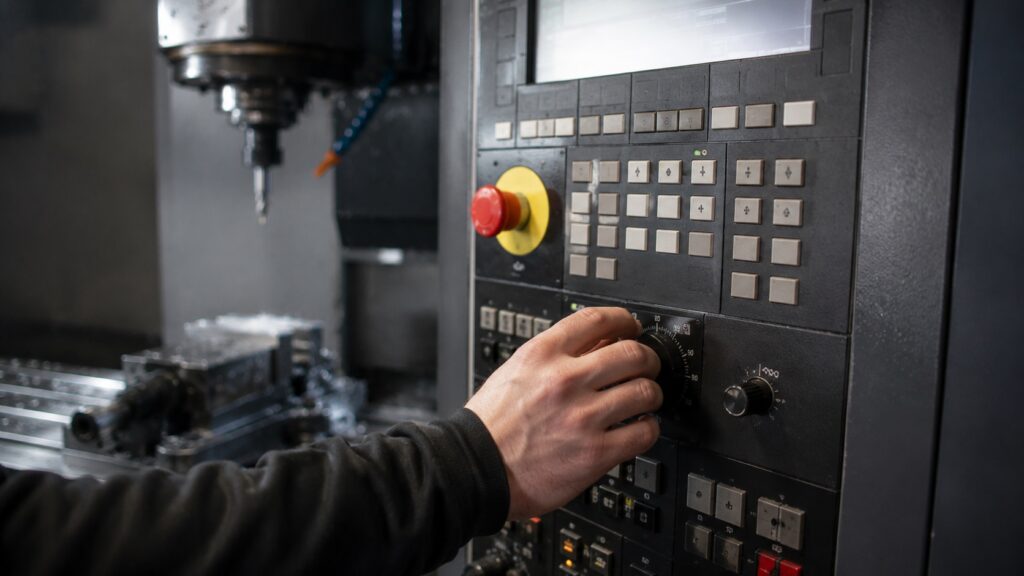
Printable Beginner G-Code Cheat Sheet
| Category | Codes |
|---|---|
| Movement | G00, G01, G02, G03 |
| Units | G20, G21 |
| Drilling | G81, G83 |
| Offsets | G43, G54 |
| Safety | G40, G80 |
| Spindle | M03, M04, M05 |
| Coolant | M07, M08, M09 |
| Tooling | T, M06 |
Common Beginner CNC Questions
Can you run a CNC machine with only basic G-codes?
Yes. Most beginner CNC work only requires a small group of commands for movement, spindle control, coolant control, and drilling cycles.
Why is G00 dangerous for beginners?
G00 moves at maximum machine speed. Incorrect coordinates or modal mistakes can drive the spindle into fixtures or workholding before the operator has time to react.
What is the easiest G-code to learn first?
G01 is usually the easiest beginner command because it performs controlled linear movement at a predictable feedrate.
Is MDI mode safe for beginners?
MDI is safe when used carefully with slow feedrates and conservative movements. Most beginner crashes happen from entering incorrect coordinates too quickly without verifying machine position.
What happens if you forget G80 after drilling?
The canned drilling cycle remains active. Future movements may unexpectedly repeat drilling motions at new coordinates.
Do all CNC machines use the same G-codes?
Most CNC machines share similar core G-codes, but syntax and machine behavior can vary between Fanuc, Haas, Siemens, Mazak, LinuxCNC, and hobby CNC controllers.
The Fastest Way to Get Comfortable With CNC G-Code
A good G-code cheat sheet is not about memorizing hundreds of commands.
It is about understanding machine behavior well enough to move safely, cut predictably, and recognize problems before they damage tooling or parts.
From real workshop experience, machinists become productive much faster once they stop treating CNC like mysterious programming and start viewing it as controlled machine movement.
Focus on mastering:
- safe movement
- spindle direction
- feedrate judgment
- coolant behavior
- setup workflow
- machine awareness
The operators who become confident fastest are usually not the ones memorizing the most code.
That practical mindset is also why many beginners start improving faster once they begin building simple machining projects instead of only studying theory.