
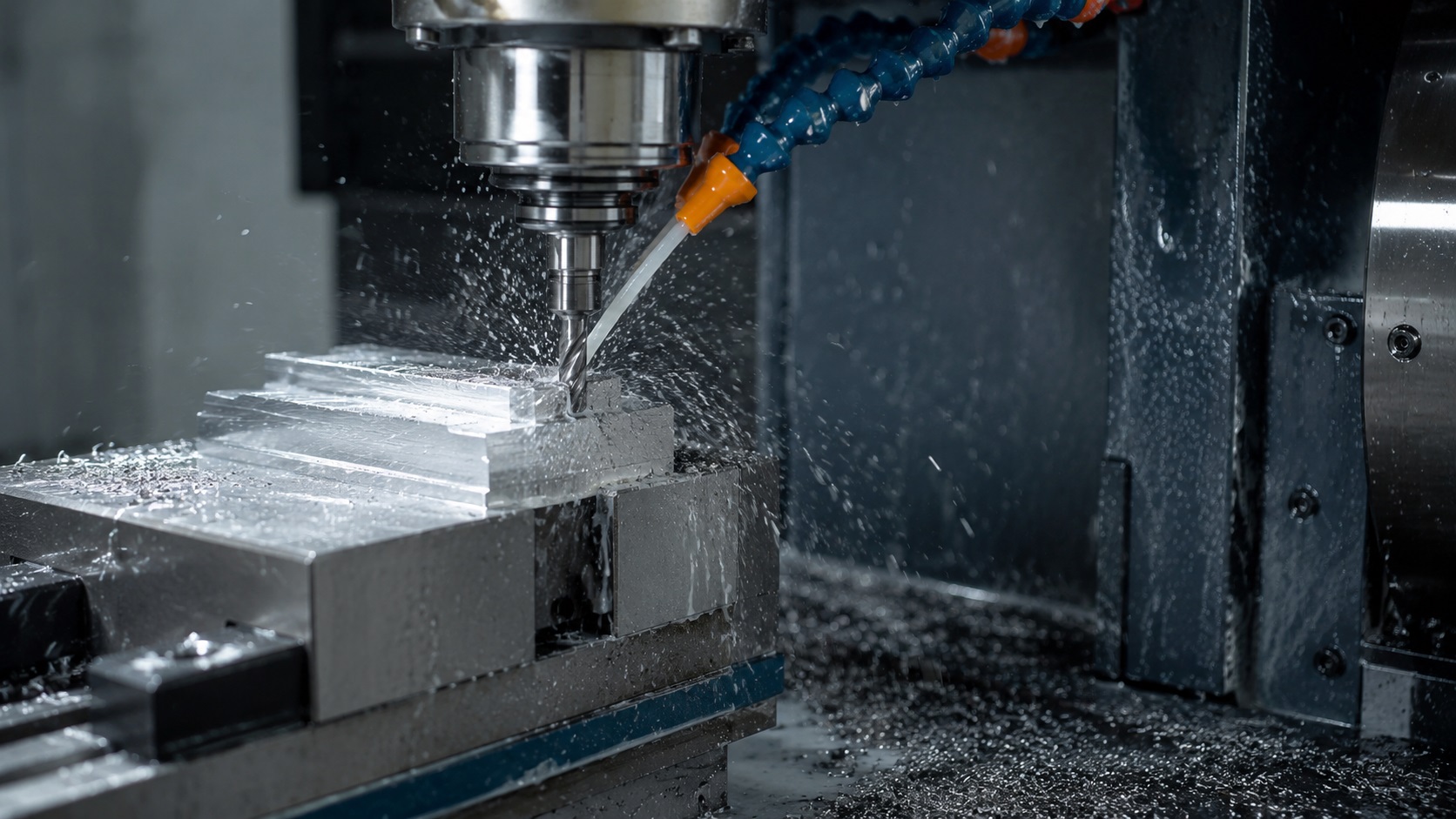
Quick Answer: How CNC Machines Work
CNC machining works by using computer-controlled motors and G-code instructions to move cutting tools precisely and remove material automatically. Beginners should first learn machine types, workholding, feeds and speeds, and CNC setup basics before attempting complex projects.
Why CNC Machining Feels Difficult for Beginners
Most beginners think CNC machining is mainly about programming.
In real workshops, programming is only one small piece of the process.
The difficult part is understanding how:
- tooling behaves under load
- material reacts to heat
- machines vibrate
- chips evacuate
- setups move under cutting pressure
- incorrect feeds destroy cutters
That is why many first-time CNC users break tools even when the G-code itself is technically correct.
From real workshop experience, CNC starts making sense much faster once you stop thinking of it as “computer work” and start seeing it as controlled metal cutting.
The machine only follows instructions.
The operator is still responsible for:
- setup quality
- tool selection
- workholding
- material choice
- speeds and feeds
- machine limitations
That distinction matters enormously.
A CNC machine does not know if the clamp is weak, the cutter is sticking out too far, or the aluminum chips are welding to the flutes. It will keep following the program until something sounds wrong, breaks, or crashes.
That is why CNC machining for beginners should start with basic machine behavior, not just software.
What Is CNC Machining?
CNC machining is a manufacturing process where a computer-controlled machine removes material from a workpiece using programmed tool movements.
CNC stands for Computer Numerical Control.
A CNC machine uses programmed instructions to control:
- tool movement
- spindle rotation
- cutting depth
- feed rate
- positioning accuracy
Instead of manually turning handwheels like on a traditional mill or lathe, motors move the machine automatically using digital commands.
Most CNC machines operate using:
- X axis movement
- Y axis movement
- Z axis movement
More advanced machines may also use:
- rotary 4th axis
- 5-axis trunnions
- live tooling
- automatic probing systems
At its core, CNC machining is simply:
controlled material removal with extremely repeatable movement.
This is the foundation of how CNC machines work. The machine moves exactly where it is told to move, but the quality of the finished part still depends heavily on the operator’s decisions.
How a CNC Machine Actually Makes a Part
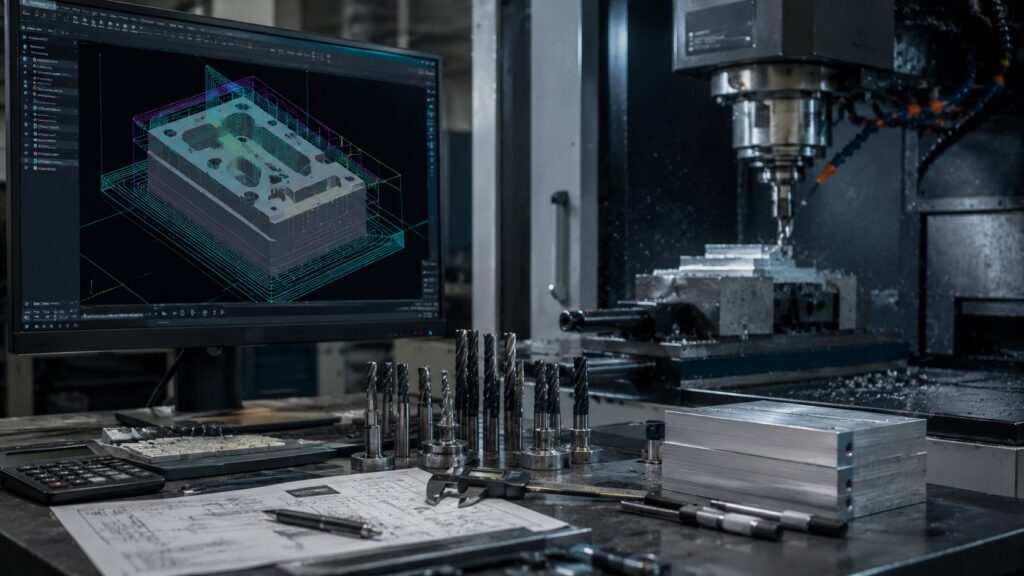
Many beginner guides skip the real workflow entirely.
In fabrication shops, CNC work usually follows this sequence.
CAD Design
The process starts with a CAD model.
CAD software creates the digital part geometry.
Common beginner mistake:
Designing impossible internal corners.
Real end mills are round, so perfectly sharp inside corners usually require redesigning or secondary machining operations.
This is one of the first manufacturability lessons beginners learn.
A beginner part should be designed with the actual cutter in mind. If the tool cannot physically reach the feature, the CNC machine cannot magically cut it.
CAM Programming
CAM software converts the model into toolpaths.
A toolpath is the programmed route that tells the cutter where to move, how deep to cut, and how much material to remove.
This stage decides:
- cutter selection
- spindle RPM
- feed rate
- step-over
- depth of cut
- cutting strategy
Many DIY users accidentally use extremely aggressive default CAM settings.
That often causes:
- chatter
- tool deflection
- missed steps
- broken carbide
- poor surface finish
Cheap hobby machines especially struggle with aggressive toolpaths because machine rigidity is limited.
This is why CNC milling basics and CNC router basics should always include toolpath strategy. A strong industrial CNC mill can handle cuts that would make a lightweight router shake, lose steps, or snap a small end mill.
G-Code Generation
G-code is the machine language that tells a CNC machine where to move, how fast to move, and when to activate functions like the spindle or coolant.
The CAM software outputs G-code.
G-code tells the machine:
- where to move
- how fast to move
- when to turn the spindle on
- when to change tools
- coolant commands
- coordinate locations
Beginners do not need to memorize hundreds of G-codes immediately.
If you want to understand the most common commands faster, this practical G-code cheat sheet helps beginners recognize what the machine is actually doing during a program.
But understanding basic movement commands helps tremendously.
Common examples:
| G-Code | Function |
|---|---|
| G00 | Rapid movement |
| G01 | Controlled cutting movement |
| G02/G03 | Circular interpolation |
| M03 | Spindle on clockwise |
| M05 | Spindle stop |
| M08 | Coolant on |
Machine functions like coolant, spindle direction, and optional stops are usually controlled with M-codes. This beginner-friendly M-code cheat sheet explains the most common ones used in real CNC programs.
A simple G-code cheat sheet can help beginners understand what the machine is doing when lines scroll across the controller screen.
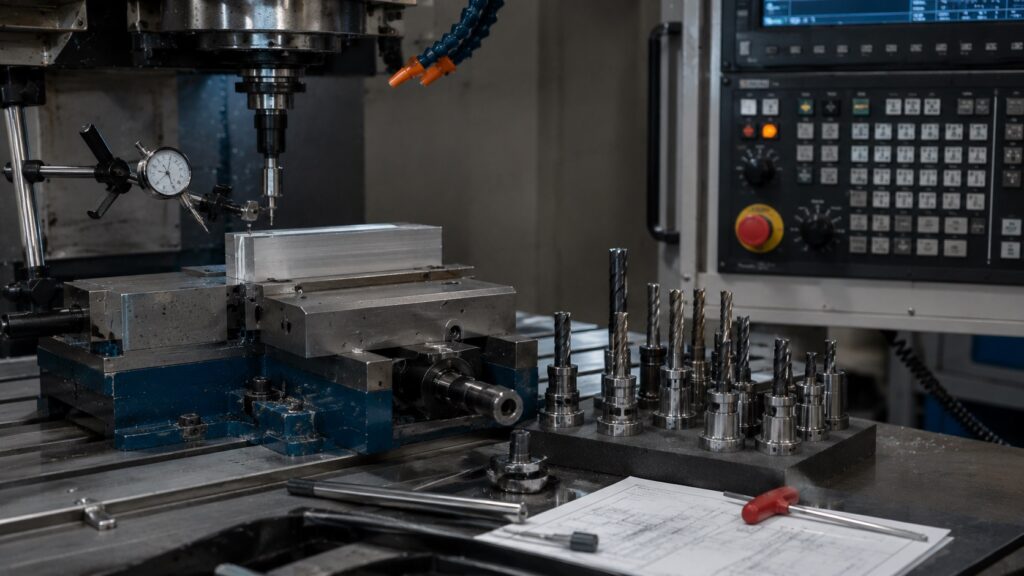
CNC Machine Setup Basics
Setup is where many crashes happen.
The machine must be:
- properly zeroed
- correctly loaded with tools
- securely fixtured
- aligned properly
Workholding means the method used to secure the workpiece so it cannot move, lift, vibrate, or shift during cutting.
One loose vise or weak clamp can ruin:
- cutters
- vises
- spindles
- workpieces
In real fabrication shops, machinists often spend more time on setup than actual cutting.
That surprises many beginners.
CNC setup basics usually include:
- loading the correct tool
- setting work zero
- checking tool length
- confirming the program
- clamping the material
- dry running the toolpath
A small setup mistake can create a big crash. Many beginner crashes happen because the tool length offset, work offset, or stock height was entered incorrectly.
How CNC Machines Cut Material
Once setup is verified, machining begins.
The spindle rotates the cutter while the machine moves through programmed toolpaths.
This is where:
- chip evacuation
- heat generation
- rigidity
- cutter wear
- coolant effectiveness
all become critical.
One thing beginners quickly notice:
chips are not waste — they are feedback.
Good chips often indicate:
- healthy cutting load
- proper feed rate
- stable temperatures
Bad chips usually signal problems.
Examples:
- blue chips → excessive heat
- powder-like chips → rubbing instead of cutting
- long stringy chips → poor evacuation
- welded aluminum chips → insufficient lubrication
In real shops, you can often hear a bad cut before you measure a bad part. A squealing cutter, rattling vise, or rough vibration usually means the setup needs attention.
Inspection and Finishing
After machining:
- burrs are removed
- dimensions are checked
- tolerances are verified
- finishing operations may be added
Typical finishing methods:
- deburring
- sanding
- bead blasting
- anodizing
- powder coating
Inspection is where beginners start understanding the difference between “the part looks right” and “the part is actually within tolerance.”
A digital caliper is enough for basic learning projects, but tighter work may require micrometers, dial indicators, gauge pins, or surface plates.
The Main Types of CNC Machines
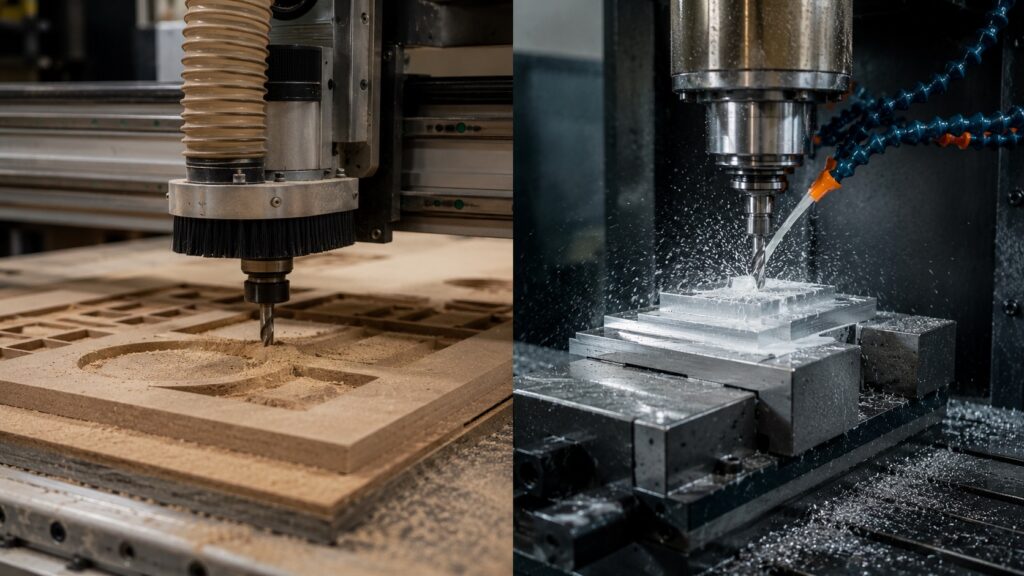
Not all CNC machines do the same work.
Choosing the wrong type is a common beginner mistake.
| Machine Type | Best For | Typical Materials |
|---|---|---|
| CNC Mill | Precision metal cutting | Steel, aluminum, titanium |
| CNC Router | Wood/plastic/sheet work | MDF, plywood, acrylic |
| CNC Lathe | Cylindrical parts | Steel, brass, aluminum |
| Plasma Table | Fast sheet cutting | Steel plate |
| Laser Cutter | Thin precise cutting | Sheet metal, acrylic |
CNC Mills
CNC mills are the most versatile machines for precision machining.
They excel at:
- pockets
- slots
- drilled holes
- precision surfaces
- aluminum parts
- steel components
However, they require strong rigidity.
A lightweight frame usually causes chatter during harder cuts.
CNC milling basics usually focus on toolholders, vises, end mills, work offsets, feeds and speeds, and material removal strategy.
CNC Routers
Routers are common for:
- woodworking
- signs
- plastics
- sheet aluminum
Many beginners buy routers expecting industrial metal machining performance.
That usually leads to frustration.
Most hobby routers lack the rigidity for heavy steel cutting.
CNC router basics should focus on:
- spoilboards
- clamps
- dust collection
- router bit selection
- shallow passes
- chip evacuation
CNC Lathes
Lathes rotate the workpiece instead of spinning a cutter around a stationary part.
They are ideal for:
- shafts
- bushings
- threaded components
- cylindrical parts
CNC lathes are extremely powerful for production work, but they can feel less intuitive for beginners because tool orientation, offsets, and part holding are different from mills and routers.
Plasma and Laser Machines
These machines remove material using:
- plasma arc
- laser energy
They are excellent for sheet cutting but operate very differently from milling machines.
They are not usually the best choice if your goal is learning traditional CNC machining, cutter behavior, feeds and speeds, and metal removal with end mills.
Understanding the Most Important CNC Components
Spindle
The spindle rotates the cutter.
Spindle RPM is the number of times the spindle rotates per minute. It directly affects cutting speed, heat, chip formation, and tool life.
Higher spindle RPM is not automatically better.
One common beginner mistake machinists make:
Running tiny cutters too slowly.
Small carbide end mills require surprisingly high RPM to cut properly instead of rubbing.
A 1/8-inch cutter and a 1/2-inch cutter should not usually run at the same RPM. Cutter diameter matters.
Linear Rails and Ball Screws
These control machine movement accuracy.
Poor-quality motion systems often create:
- backlash
- positioning error
- vibration
- inconsistent surface finish
Machine rigidity matters more than beginners usually realize.
If the frame flexes, the tool deflects, or the gantry vibrates, the program may be correct but the part will still come out wrong.
Toolholders
The toolholder secures the cutter inside the spindle.
Poor toolholding causes:
- runout
- chatter
- shortened tool life
Even expensive carbide tools perform poorly with bad holders.
A cheap collet with visible runout can make a good cutter behave like a bad one. This becomes especially noticeable with small end mills.
Workholding
Workholding is the system used to hold the workpiece safely and rigidly during machining.
Workholding keeps the part stable.
Weak workholding is one of the fastest ways to destroy a setup.
In real shops, machinists constantly think about:
“Can this move under load?”
Because eventually almost everything tries to move during cutting.
Controller
The controller interprets G-code and moves the machine.
Popular beginner controllers include:
- GRBL
- Mach3
- LinuxCNC
- Masso
- Fanuc
- Haas control
Each has different capabilities and learning curves.
For a first CNC machine, controller simplicity matters. A powerful machine with confusing controls can slow down learning more than a simpler machine with clear, reliable controls.
Basic CNC Terminology Beginners Must Know
| Term | Meaning |
|---|---|
| Feed Rate | How fast the cutter moves |
| RPM | Spindle rotation speed |
| DOC | Depth of cut |
| Step-over | Sideways cutter engagement |
| Work Offset | Part coordinate location |
| Toolpath | Programmed cutter movement |
| Chatter | Harmful machine vibration |
| Runout | Tool spinning off-center |
| Tolerance | Allowed dimensional variation |
Understanding these terms dramatically improves learning speed.
Chatter is harmful vibration between the cutter, workpiece, and machine that creates poor surface finish, noise, and tool damage.
Feed rate is the speed at which the cutting tool moves through the material.
Toolpath is the programmed cutting path created in CAM software or written manually in G-code.
These definitions sound simple, but they matter in real machining. Many beginner problems come from confusing feed rate, spindle speed, depth of cut, and step-over.
CNC Feeds and Speeds Explained Simply
Feeds and speeds confuse almost every beginner initially.
CNC feeds and speeds describe the relationship between how fast the spindle rotates and how fast the cutter moves through the material.
The simplest explanation:
- RPM controls cutter rotation speed
- feed rate controls movement speed through material
Too fast:
- cutter overload
- chatter
- tool breakage
Too slow:
- rubbing
- overheating
- edge wear
- poor finish
One of the biggest beginner mistakes is being overly cautious.
Running too slowly can actually destroy carbide tools faster than aggressive cutting.
This is why “CNC feeds and speeds explained” should always include chip load, not just RPM numbers.
A cutter needs to bite into the material. If it only rubs, heat builds up quickly and the cutting edge wears out.
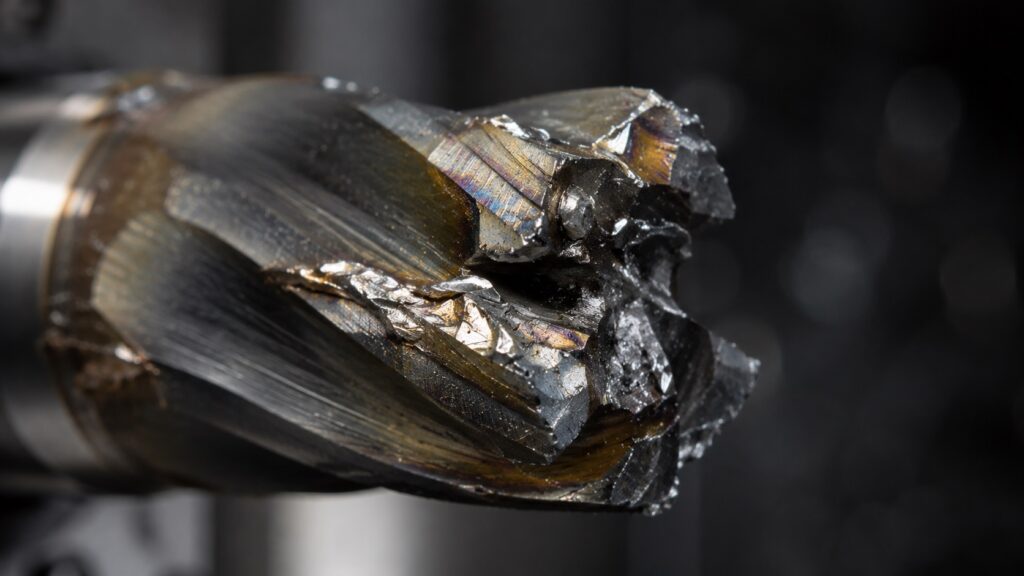
Why Beginners Break End Mills So Often
This deserves its own section because it happens constantly.
Most broken end mills come from:
- poor chip evacuation
- excessive stickout
- incorrect feeds
- weak workholding
- plunging incorrectly
- using router tooling on metals
- spindle runout
From real workshop experience, tiny end mills below 3 mm break far easier than beginners expect.
Even slight machine flex becomes dangerous at small diameters.
You’ll usually notice warning signs before failure:
- squealing sound
- powder-like chips
- visible chatter marks
- spindle load spikes
- chip welding on aluminum
Ignoring those signs usually ends with a snapped cutter.
This is the real answer to why end mills break so often: the tool is usually overloaded, overheated, rubbing, vibrating, or trapped in chips.
Common CNC Beginner Mistakes
| Mistake | What Happens |
|---|---|
| Poor zeroing | Machine crashes |
| Weak clamps | Part movement |
| Excessive depth of cut | Chatter or broken tools |
| Wrong spindle RPM | Burning or rubbing |
| Ignoring chip evacuation | Tool welding |
| Starting with steel immediately | Frustration and tool damage |
| No dry run | Unexpected collisions |
Dry runs save machines.
Professional machinists still use them regularly.
Other beginner mistakes include:
- leaving too much cutter stickout
- forgetting to tighten the collet properly
- using dull tools
- trusting CAM defaults blindly
- ignoring machine sounds
- skipping test cuts
- using the wrong cutter for the material
A common beginner shop mistake is clamping a part just enough that it “feels secure” by hand. Cutting forces are much stronger than most people expect.
If the part moves during a cut, the machine may continue cutting in the wrong location until the cutter breaks or the workpiece is ruined.
Best Materials for First CNC Projects
Not all materials are beginner-friendly.
| Material | Beginner Difficulty | Notes |
|---|---|---|
| MDF | Very Easy | Cheap and forgiving |
| HDPE | Easy | Excellent for practice |
| Aluminum 6061 | Medium | Great learning metal |
| Brass | Medium | Machines cleanly |
| Stainless Steel | Difficult | Heat and rigidity issues |
| Titanium | Advanced | Extremely unforgiving |
Different stainless grades machine very differently, especially when work hardening becomes a problem during light cuts or poor feeds.
Many beginners jump directly into stainless steel because it “looks professional.”
That usually ends badly on hobby machines.
Aluminum 6061 is far more forgiving and teaches good machining habits faster.
For beginner CNC projects, MDF and plastic are excellent for learning motion, zeroing, CAM, and workholding without destroying expensive tools.
Best First CNC Projects for Beginners
The best first CNC projects are simple enough to finish, but useful enough to teach real machining skills.
Good beginner CNC projects include:
- MDF signs
- engraving plates
- aluminum brackets
- simple fixtures
- vise stops
MDF signs are great because they teach toolpaths, depth control, and basic workholding without expensive material.
Engraving plates help beginners learn shallow cutting, zeroing, and tool selection.
Aluminum brackets are a good next step because they introduce real metal cutting, chip evacuation, burr control, and feeds and speeds.
Simple fixtures teach repeatability.
Vise stops are especially useful because they are small, practical, and used in real shop setups.
A good first project should teach:
- how to set zero
- how to clamp stock
- how to run a dry pass
- how to inspect dimensions
- how to adjust feeds and speeds
Avoid starting with complex 3D contour parts. They look impressive, but they often hide the basic lessons beginners actually need.
If you want more beginner-friendly ideas, these practical machining projects are excellent for learning setups, toolpaths, and material behavior without overly complicated geometry.
How to Learn CNC Faster Without Wasting Money
The fastest learners usually:
- start with simple projects
- machine soft materials first
- learn feeds and speeds early
- study workholding
- practice dry runs
- understand machine limits
The slowest learners often:
- buy expensive machines immediately
- skip fundamentals
- rely entirely on CAM defaults
- ignore machine rigidity
A surprisingly effective approach:
Run simple manual-style operations first instead of jumping directly into complex 3D toolpaths.
That builds intuition dramatically faster.
If you want to know how to learn CNC machining efficiently, focus on repeatable basics before chasing complicated projects.
Start with:
- facing
- drilling
- pocketing
- contouring
- engraving
- simple slotting
Those operations teach more than most beginners realize.
CNC Software Basics
Most CNC workflows involve three software categories.
| Software Type | Purpose |
|---|---|
| CAD | Design the part |
| CAM | Generate toolpaths |
| Controller Software | Run the machine |
Popular beginner software:
- Fusion
- MeshCAM
- VCarve
- SolidWorks
- Mastercam
- FreeCAD
Many hobby users underestimate how long CAD/CAM learning takes.
The software learning curve is often harder than machine operation itself.
The easiest CNC software depends on the machine type.
For routers, VCarve-style software can feel easier.
For mechanical parts, Fusion-style CAD/CAM software is more useful.
For industrial work, Mastercam and SolidWorks are common in many shops.
The important thing is not choosing the “perfect” software immediately. It is learning the full workflow from design to toolpath to machine movement.
Manual Machining vs CNC Machining
| Manual Machining | CNC Machining |
|---|---|
| Hand-controlled | Computer-controlled |
| Better for one-offs | Better for repeatability |
| Faster setup | Faster production |
| Lower startup cost | Higher precision potential |
| Strong operator feel | Strong process consistency |
Interestingly, manual machining experience helps enormously with CNC troubleshooting.
Operators who understand cutting behavior usually diagnose CNC problems much faster.
A CNC machine can repeat a bad decision perfectly.
That is why manual machining instincts still matter. You need to understand what a healthy cut looks, sounds, and feels like.
Real Workshop Tips Most Beginner Guides Ignore
Keep Tool Stickout Short
Long stickout massively increases chatter.
Beginners often extend cutters much farther than necessary.
Use only the cutter length you actually need.
Chips Cause More Problems Than People Think
Packed chips create:
- recutting
- heat buildup
- broken tools
- poor finishes
Chip evacuation is critical.
Deep hole drilling especially depends on proper chip evacuation, which is why peck drilling cycles are commonly used in CNC machining.
This is especially true when machining aluminum, because aluminum chips can weld to the cutter if heat and lubrication are not controlled.
Noise Is Important Feedback
Experienced machinists listen constantly.
Bad sounds usually appear before visible problems.
A clean cut sounds steady.
A bad cut often sounds sharp, squealing, rattling, or uneven.
Rigidity Beats Horsepower
A rigid low-power machine often outperforms a flexible high-power machine.
This surprises many beginners.
A hobby machine may have enough spindle power, but not enough frame stiffness to use that power effectively.
Start With Simple Projects
Complex aerospace-style parts look exciting online.
But simple flat parts teach:
- workholding
- zeroing
- feeds and speeds
- cutter behavior
much faster.
What to Learn Next
Once you understand CNC basics, the next step is not trying the hardest project you can find.
The smarter path is learning the fundamentals in the right order.
Focus on:
- G-code basics
- feeds and speeds
- CNC workholding
- CAM basics
- machine rigidity
- beginner materials
- toolholder selection
- chip evacuation
- safe setup habits
If you learn these areas early, every CNC project becomes easier to understand.
Frequently Asked CNC Beginner Questions
Can you learn CNC without owning a machine?
Yes. Many beginners learn CAD, CAM, and G-code simulation before purchasing a machine. That often reduces expensive mistakes later.
What is the easiest CNC machine for beginners?
CNC routers are usually the easiest and most affordable entry point for beginners learning basic CNC concepts.
Why do CNC machines use G-code?
G-code provides standardized movement instructions that machine controllers can interpret accurately and repeatedly.
Is CNC difficult to learn?
The basics are manageable, but mastering tooling, feeds and speeds, and setup strategy takes time and real practice.
What happens if feed rate is too slow?
The cutter may rub instead of cut, generating excessive heat and shortening tool life dramatically.
Should beginners machine steel first?
Usually no. Aluminum, MDF, or plastics are much more forgiving and help build proper machining habits faster.
Is CNC machining a good career?
Yes. CNC machining can be a strong career path because manufacturing shops need people who understand machines, tooling, inspection, setup, and production problem-solving.
How long does it take to learn CNC?
A beginner can learn basic CNC operation in a few weeks, but becoming confident with setups, feeds and speeds, tolerances, and troubleshooting usually takes months of practice.
Can beginners learn CNC at home?
Yes. Many beginners learn CNC at home using small routers, desktop mills, CAD/CAM software, and simulation tools. Starting with MDF, plastic, or aluminum is usually best.
What is the easiest CNC software?
For basic router work, VCarve-style software is often easier. For mechanical parts, Fusion-style CAD/CAM software is more useful because it teaches a complete design-to-machining workflow.
Can CNC machines cut steel?
Yes, but the machine must be rigid enough, the tooling must be correct, and feeds and speeds must be controlled carefully. Many hobby CNC routers are not ideal for steel.
What CNC machine should beginners buy?
Most beginners should choose based on material and project type. For wood and signs, a CNC router makes sense. For metal brackets and precision parts, a small CNC mill is usually better.
Final Advice for Learning CNC Successfully
CNC machining looks intimidating because there are many moving pieces:
- software
- tooling
- machine setup
- material behavior
- cutting physics
But most successful machinists learn the same way:
- simple projects
- repeated setups
- broken tools
- troubleshooting
- gradual improvement
The key is understanding that CNC is not just programming.
It is controlled material removal.
Once beginners understand:
- rigidity
- chip evacuation
- feeds and speeds
- workholding
- cutter behavior
everything starts becoming dramatically easier.
And from real workshop experience, the machinists who improve fastest are usually not the ones with the most expensive machines.
They are the ones paying attention to what the machine is trying to tell them.