
The Short Answer
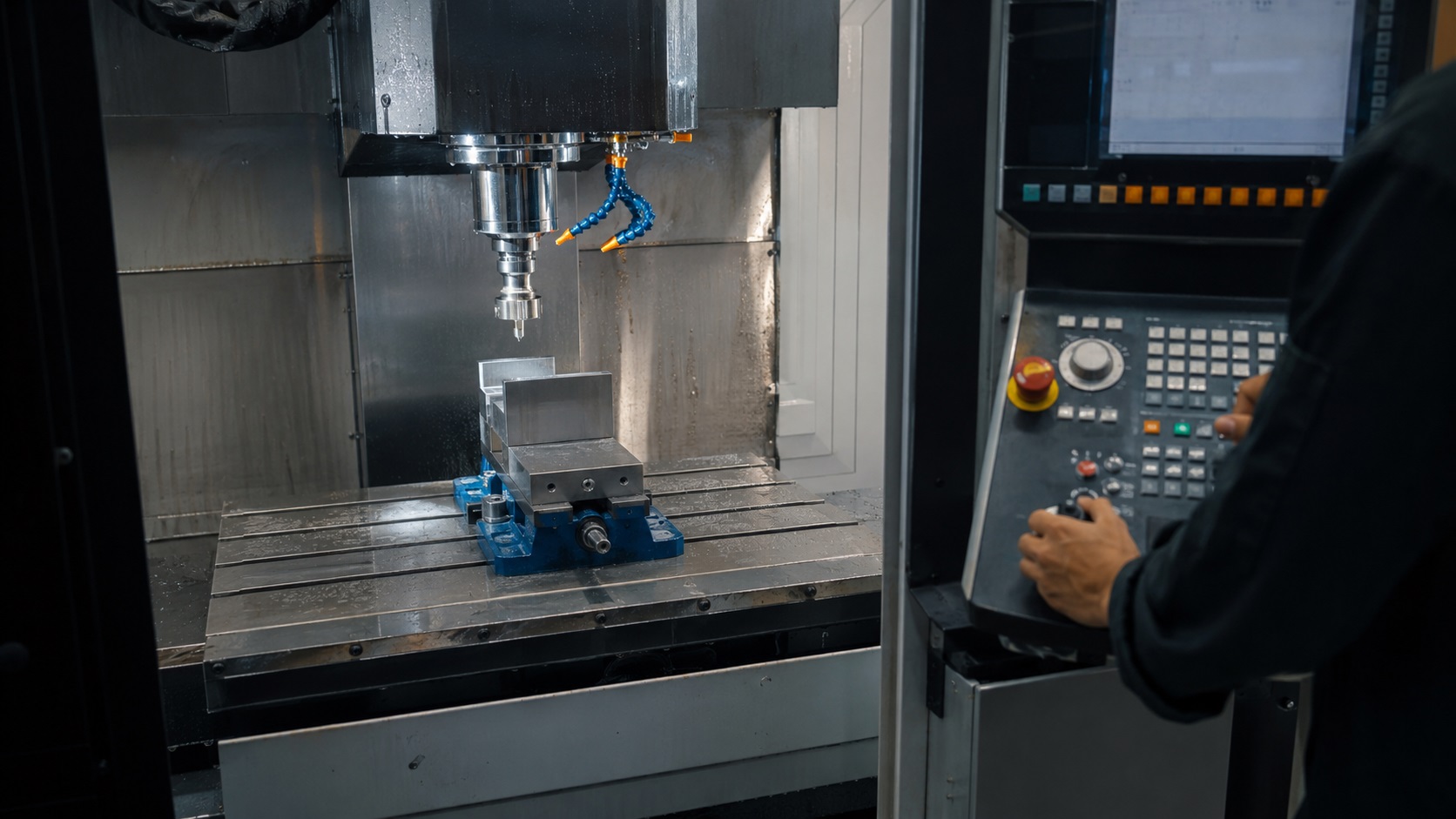
CNC programming errors usually come from incorrect offsets, modal code mistakes, bad tool data, or unsafe setup verification. Most machine crashes happen during rapid moves, tool changes, or coordinate mismatches. Careful dry runs, consistent offset management, and proper simulation dramatically reduce CNC failures and expensive downtime.
In real fabrication shops, CNC crashes rarely happen because of one catastrophic mistake. Most failures start with something small — a wrong tool length offset, an incorrect work coordinate, or a feed rate that looked safe in simulation but became unstable on the actual machine.
One common mistake machinists make is trusting CAM output without verifying how the machine will actually behave. A program may look perfect on-screen but still fail because of fixture clearance, spindle load, chip evacuation, or thermal movement that the simulation never accounted for.
The good news is that most CNC programming errors are preventable when operators follow consistent verification procedures and understand how the machine interprets code in real-world conditions.
What Are CNC Programming Errors?
CNC programming errors are mistakes in G-code, setup data, machining logic, or machine configuration that cause incorrect machine movement, poor part quality, tool damage, or machine crashes.
For readers completely new to the industry, understanding what CNC machining is makes it much easier to understand why setup and programming mistakes become so expensive.
Some errors stop the program immediately with an alarm. Others are far more dangerous because the machine continues running while gradually damaging the part, tooling, or spindle.
Common examples include:
- incorrect tool length offsets
- wrong work coordinate systems
- feed and speed mismatches
- missing cutter compensation
- unsafe rapid positioning
- canned cycle mistakes
- incorrect spindle direction
- modal command carryover
In many shops, setup-related programming mistakes cause more downtime than actual machine failures.
The Most Common CNC Programming Errors
| Error Type | Typical Result | Severity |
|---|---|---|
| Wrong tool offset | Tool crash into part or vise | Very High |
| Incorrect work offset | Entire part shifted | High |
| Excessive feed rate | Tool breakage and chatter | Medium |
| Missing cutter compensation | Oversized or undersized parts | Medium |
| Unsafe rapid moves | Fixture collision | Very High |
| Incorrect spindle direction | Instant tool damage | High |
| Bad canned cycle values | Deep drilling crashes | High |
| Wrong unit selection (G20/G21) | Massive dimensional errors | Critical |
Why Tool Offset Errors Cause So Many CNC Crashes
Tool offset mistakes are one of the biggest causes of expensive CNC failures.
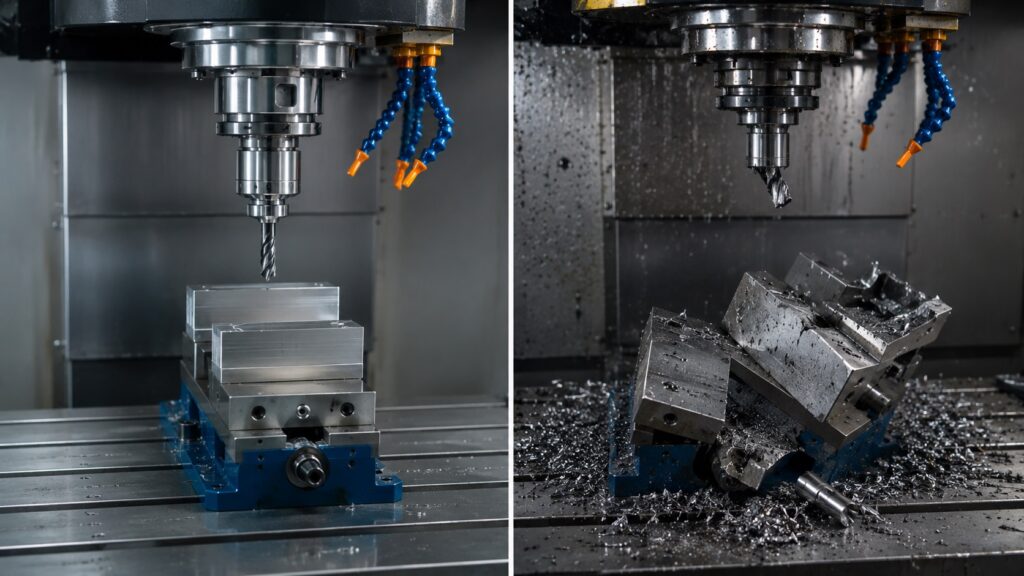
A tool length offset error of even a few millimeters can destroy a carbide tool instantly during a rapid Z-axis move. On larger vertical machining centers, the damage can extend to the spindle taper, tool holder, fixture, and even the machine table.
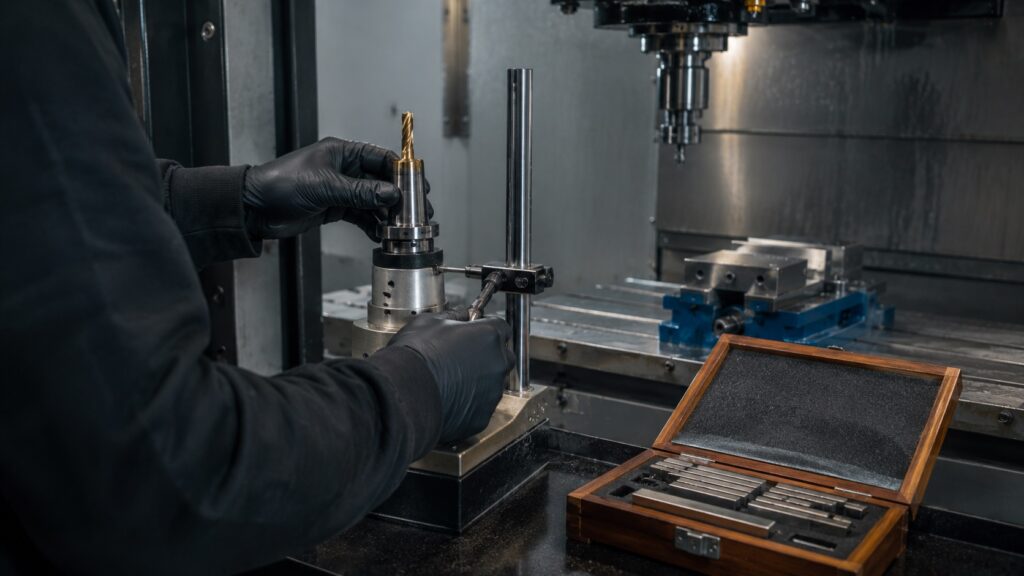
From real workshop experience, offset problems often happen during:
- tool replacement after breakage
- manual offset entry
- rushed setup changes
- loading old offset backups
- switching between inch and metric values
You’ll usually notice warning signs before a full crash happens:
- unusual spindle load spikes
- aggressive cutting sounds
- chips changing color
- unexpected chatter
- coolant splash patterns changing
Experienced operators often verify Z-offsets manually with slow approach moves before trusting full rapid operation.
Dangerous Modal Code Mistakes
Modal commands remain active until cancelled or replaced. Beginners often forget this, especially when editing programs manually.
Keeping a G-code cheat sheet nearby helps operators verify positioning modes, cutter compensation, and motion commands before running unfamiliar programs.
For example:
- G90 remains active until changed to G91
- cutter compensation remains active until cancelled
- feed per revolution and feed per minute modes can carry over
- work coordinate systems remain active between operations
One dangerous real-world scenario happens when incremental positioning (G91) accidentally remains active before a tool change recovery move. The machine may unexpectedly shift position instead of moving to a safe location.
These are the kinds of programming mistakes that simulation software sometimes misses because the machine state during restart differs from the original run.
CAM Software Does Not Eliminate CNC Errors
Modern CAM systems reduce manual coding mistakes, but they do not eliminate setup failures or machine-side problems.
A CAM-generated toolpath may still fail because of:
- incorrect post processor settings
- machine travel limitations
- tool holder interference
- fixture height changes
- inaccurate stock setup
- backlash compensation issues
- spindle horsepower limitations
In real fabrication environments, CAM simulation often assumes ideal cutting conditions. Actual machines behave differently once heat, vibration, chip load, and tool wear begin affecting the process.
One common issue is chip recutting during deep pocket milling. The simulation may show clean toolpaths, but poor coolant flow can trap chips and suddenly overload the cutter.
CNC Setup Mistakes That Destroy Parts
Programming and setup are tightly connected. Even perfect code can fail with poor setup practices.
Common Setup Failures
Incorrect Work Coordinate Assignment
Misaligned G54 or G55 coordinates can shift the entire machining operation.
This becomes extremely dangerous during:
- multi-part fixtures
- tombstone setups
- 4-axis indexing
- repeated production jobs
Improper Fixture Clamping
Loose workholding creates vibration, chatter, dimensional variation, and potential part ejection.
Many DIY machinists underestimate how much cutting forces increase during aggressive roughing operations.
Wrong Tool Loaded in Carousel
Tool number mismatches can instantly destroy parts during automatic tool changes.
This usually happens after:
- manual tool replacement
- emergency tool swaps
- interrupted setups
- poorly labeled tool carts
Best Verification Methods Before Running a CNC Program
Professional shops rarely trust a program immediately.
A proper verification workflow dramatically reduces crash risk.
Recommended CNC Verification Process
| Verification Step | Purpose |
|---|---|
| CAM simulation | Detect obvious code issues |
| Backplot review | Verify toolpath logic |
| Dry run above part | Check machine movement |
| Single block mode | Confirm each move safely |
| Feed override reduction | Slow initial execution |
| Tool offset verification | Prevent Z-axis crashes |
| Air cutting | Validate fixture clearance |
| First article inspection | Confirm dimensions |
One common mistake beginners make is skipping dry runs because the simulation “looked correct.” Real machines do not always behave like simulation environments.
Feed Rate and Spindle Speed Problems
Improper cutting parameters create many hidden machining problems.
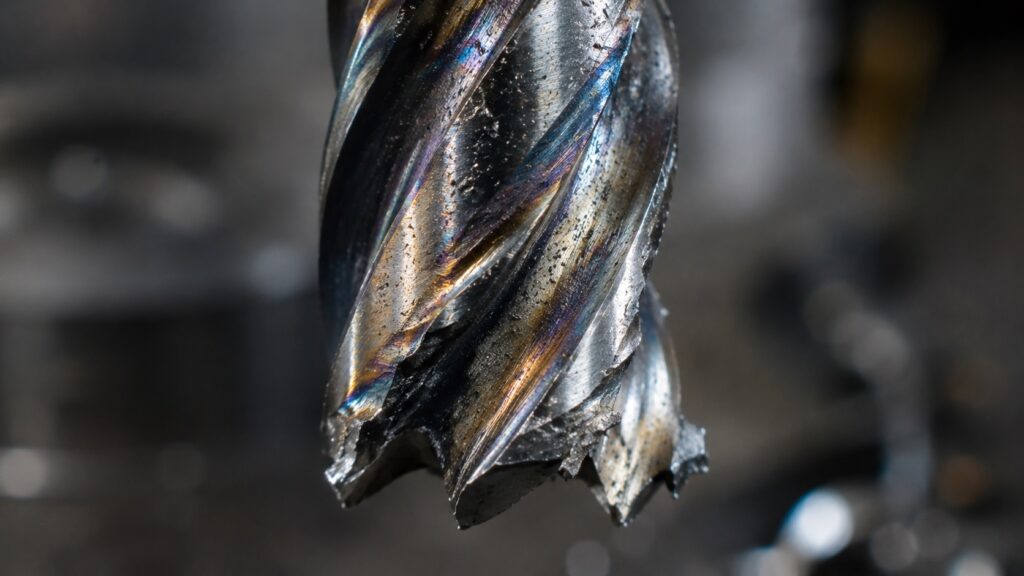
Aggressive feeds may cause:
- chatter
- insert chipping
- spindle overload
- poor surface finish
- thermal distortion
Overly conservative feeds can also become problematic because tools begin rubbing instead of cutting properly.
You’ll often notice this during stainless steel machining where excessive heat buildup accelerates work hardening.
Typical Warning Signs
| Symptom | Possible Cause |
|---|---|
| Blue chips | Excessive heat |
| Squealing sound | Tool rubbing |
| Hammering vibration | Chatter |
| Built-up edge | Low cutting speed |
| Tool discoloration | Coolant failure |
| Inconsistent finish | Tool deflection |
Why Rapid Moves Cause So Many Machine Crashes
Most catastrophic CNC crashes happen during rapid positioning moves rather than actual cutting.
Rapid moves become dangerous because:
- no cutting resistance slows the machine
- operators may overlook clearance issues
- fixtures change between jobs
- long tools require extra clearance
- machine restart positions vary
A common shop-floor habit is setting temporary safe Z-heights during prove-out runs before optimizing cycle times later.
This slows the first setup slightly but prevents expensive spindle damage.
Real Workshop Troubleshooting Tips
Use Single Block for New Programs
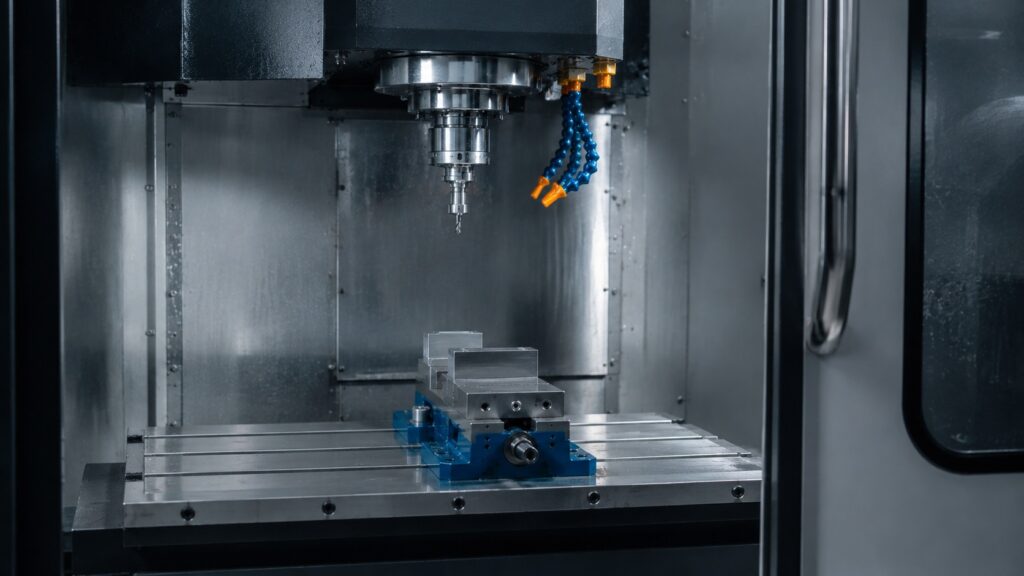
Single block mode allows operators to confirm each motion before the machine continues.
This is especially important for:
- new post processors
- edited programs
- multi-axis operations
- deep cavity machining
Watch Chip Shape Carefully
Chip behavior often reveals machining problems before alarms appear.
For example:
- powder-like chips may indicate rubbing
- long stringy chips suggest poor chip breaking
- dark chips often signal overheating
- welded chips may indicate coolant starvation
Warm Up the Spindle
Cold spindles behave differently than thermally stabilized spindles.
In high-precision machining, thermal expansion can shift dimensions noticeably during the first production cycles.
Verify Restart Locations
Restarting mid-program is one of the riskiest CNC operations.
Many crashes occur because:
- modal states changed
- offsets were modified
- spindle orientation differs
- coolant or tool compensation remained active
Common CNC Programming Mistakes Beginners Make
Ignoring Machine Limits
Beginners often focus entirely on the CAD model and forget actual machine travel limits.
Forgetting Safe Retract Heights
Insufficient retract clearance causes collisions with:
- vises
- clamps
- rotary fixtures
- tombstones
- probing systems
Incorrect Cutter Compensation Entry
Wrong diameter values create dimensional inaccuracies that may not appear until final inspection.
Skipping Tool Wear Checks
Tool wear gradually changes cutting behavior.
Ignoring wear offsets often causes:
- taper
- burr formation
- poor finishes
- dimensional drift
Professional CNC Workflow Tips
Experienced machinists typically follow consistent habits that dramatically reduce failures.
Useful Shop Habits
- keep standardized tool libraries
- use setup checklists
- verify offsets twice
- label fixtures clearly
- separate prove-out tools from production tools
- document stable cutting parameters
- inspect first-off parts aggressively
- track spindle load trends
In production environments, consistency usually matters more than aggressive cycle-time optimization.
Common CNC Questions
Can a small CNC programming mistake really crash a machine?
Yes. A single incorrect offset or rapid positioning command can destroy tooling, fixtures, and even the spindle within seconds.
Why do CNC crashes often happen during setup?
Because setup combines offsets, fixtures, tools, and work coordinates simultaneously. Small alignment mistakes stack together and become dangerous during initial program execution.
How do machinists safely test a new CNC program?
Most shops use simulation, dry runs, single block mode, reduced feed overrides, and air cutting before allowing full production speeds.
What is the most dangerous CNC programming error?
Incorrect tool length offsets are among the most dangerous because they commonly cause direct spindle crashes during rapid Z-axis moves.
Can CAM software completely prevent programming mistakes?
No. CAM systems reduce coding errors, but setup issues, fixture problems, incorrect offsets, and real cutting conditions can still cause failures.
Why does chatter happen even with correct G-code?
Chatter often comes from tooling rigidity, spindle load, improper feeds, poor workholding, or harmonic vibration rather than programming alone.
Shop-Floor Reality
CNC programming errors are rarely caused by a single bad line of code. Most failures happen when setup inconsistencies, poor verification habits, aggressive machining parameters, and operator assumptions combine together.
The safest CNC shops are not necessarily the fastest shops. They are the shops with repeatable workflows, disciplined setup procedures, and operators who understand how machines behave beyond the simulation screen.
From real workshop experience, the operators who prevent the most crashes are usually the ones who slow down during setup, verify every offset carefully, and pay attention to small warning signs before they become expensive failures.
For people interested in building these skills professionally, this guide on how to become a CNC machinist or programmer explains the typical career path and training process.