
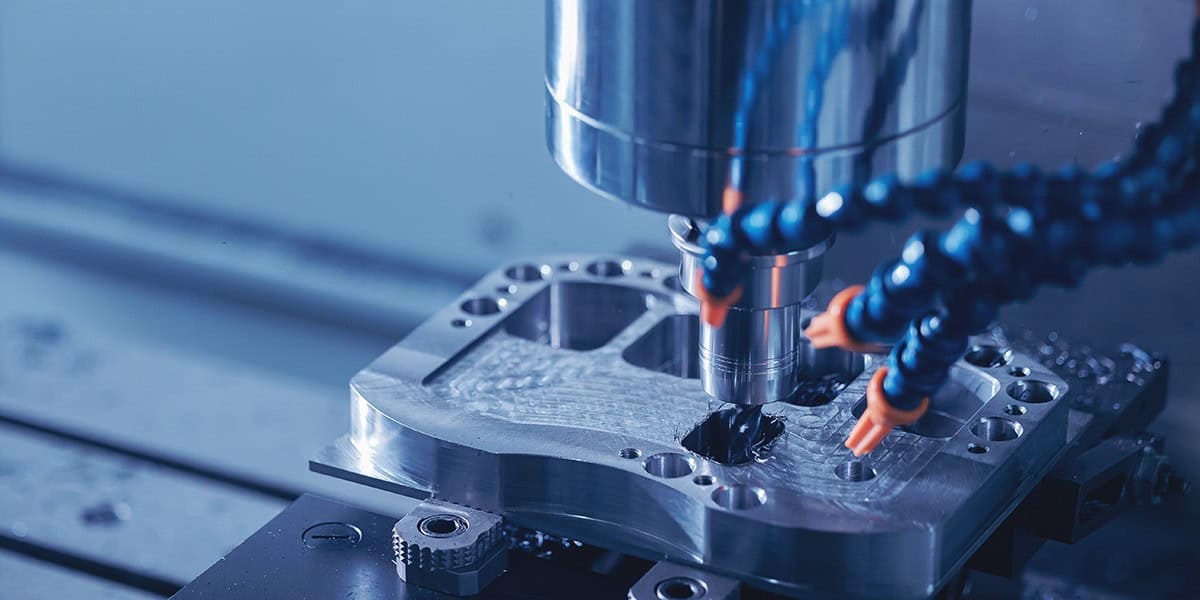
Most beginners think CNC machining is just pressing “start.” In reality, 80% of the work happens before the machine even moves. Once you understand that, everything starts to click.
If you’ve ever wondered how perfectly shaped metal parts are made with almost zero error, CNC machining is usually the answer. The first time I saw a CNC mill running, it didn’t feel complicated — it felt controlled. Everything moved exactly where it was supposed to.
What is CNC machining in simple terms?
CNC machining is a process where machines follow programmed instructions to cut and shape materials with high precision.
CNC machining for beginners is easier to understand than it looks. It’s simply a system where digital instructions control how material is removed to create a final part.
- Create a design (CAD)
- Convert it into G-code
- Set up the machine and material
- Machine removes material step by step
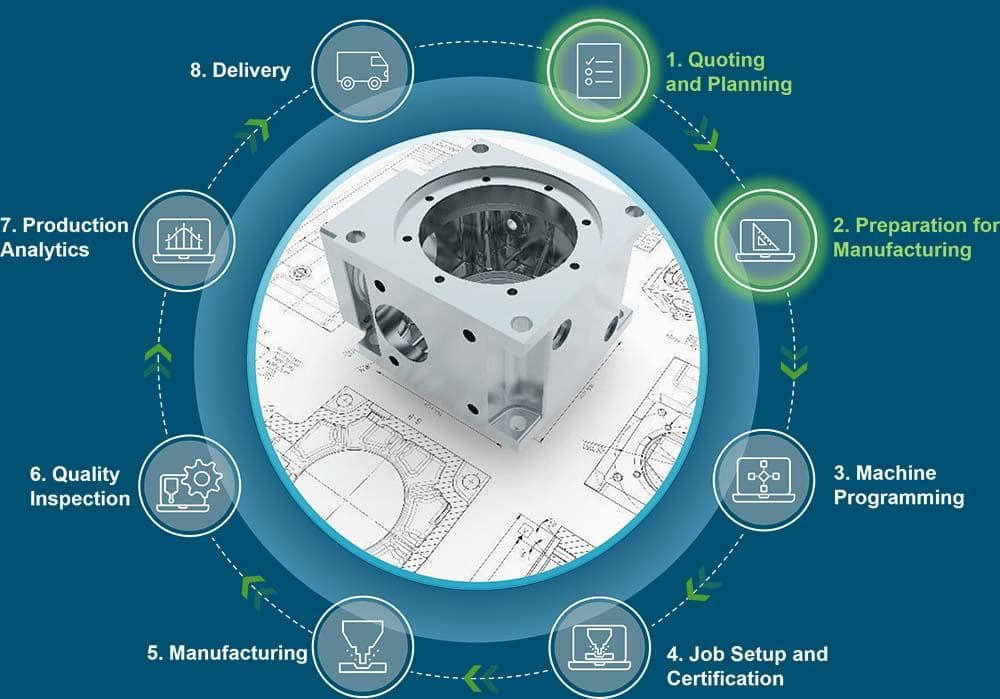
How CNC Machining Works Step by Step
To really understand how CNC machining works step by step, you need to look beyond software and into what happens in the workshop.
- Design the part (CAD)
- Generate toolpaths (CAM)
- Post-process into G-code
- Clamp the material securely
- Set zero point and offsets
- Run the program
In real production work, setup often takes longer than machining. That surprises most beginners.
A common issue during machining is rushing setup. If your zero point is even slightly off, the part is scrap almost instantly.
On your first few runs, it’s completely normal to hesitate before pressing start. Most beginners double-check everything — and honestly, that’s a good habit.
CNC machining is widely used to shape metals like steel, which are also essential in construction applications. For example, understanding what kind of metal rebar is made of helps connect machining processes with real-world structural use.
Material preparation is just as important as machining itself. Processes like annealing aluminum can significantly improve machinability, reduce tool wear, and enhance final surface quality.
Why CNC Machining Is So Precise (Tolerance Explained)
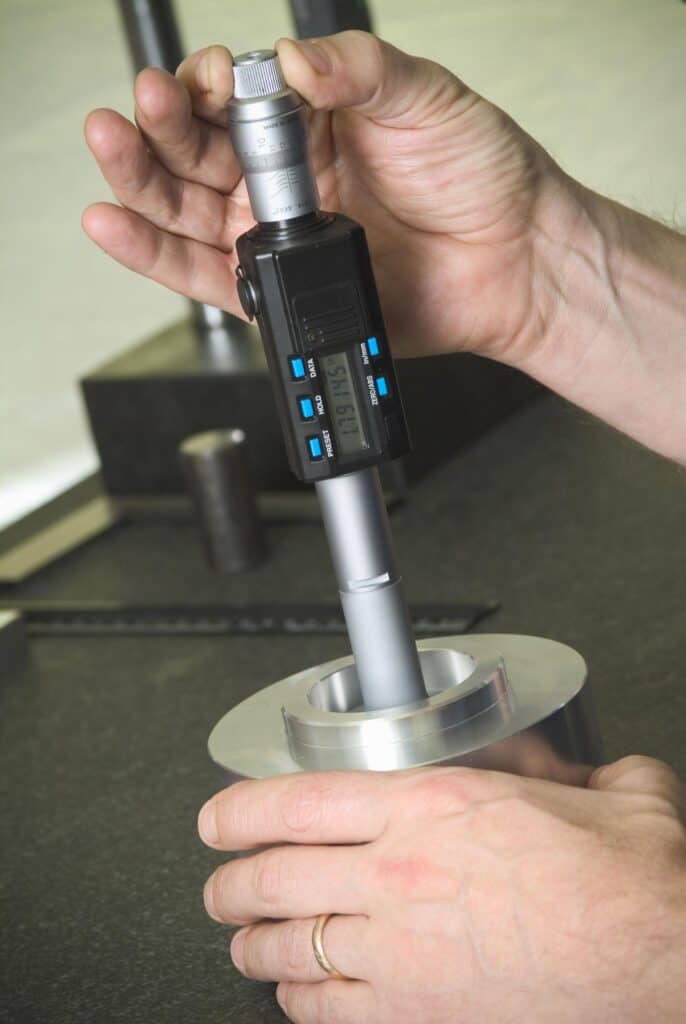
Precision is where CNC machining really stands out.
Typical tolerances:
- ±0.02 mm → standard machining
- ±0.01 mm → precise parts
- ±0.005 mm → high-end applications
From what I’ve seen in the shop, holding ±0.01 mm consistently already requires solid setup and stable tooling.
Going tighter than ±0.005 mm usually means controlled environments, high-quality machines, and experienced operators.
If your machine vibrates or your tool is worn, you won’t hold tolerance — simple as that.
CNC Machining Process Explained (Subtractive vs Additive)
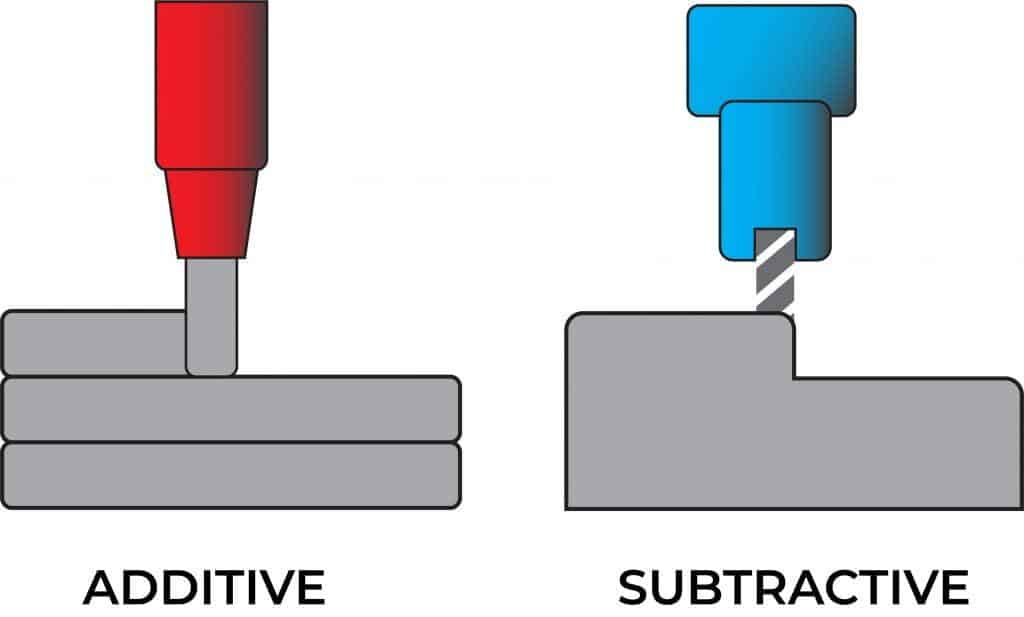
The simplest way to understand the CNC machining process explained is this:
CNC machining removes material from a solid block. That’s why it’s called subtractive manufacturing.
Unlike 3D printing, which builds parts layer by layer, CNC starts with more material and removes everything unnecessary.
Most beginners finally understand CNC at this point — you’re not building the part, you’re revealing it.
Types of CNC Machines and CNC Milling vs Turning Difference
Different CNC machines are designed for different tasks.
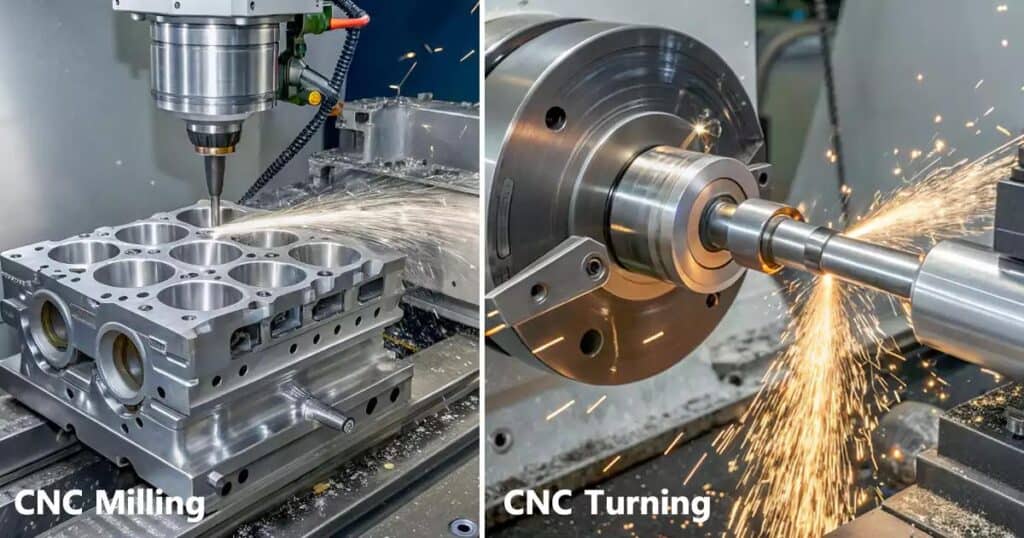
- CNC Milling Machines: rotating tool removes material
- CNC Lathes: rotating workpiece is shaped by tool
- CNC Routers: used for softer materials
- Plasma Cutters: used for sheet metal cutting
CNC milling vs turning difference:
- Milling → tool moves
- Turning → part rotates
This is one of the most common beginner confusions — until you actually see both machines working side by side.
What Is CNC Machining Used For? (Real Applications)
Understanding CNC machining applications shows how widely it’s used.
- Automotive: engine components, brackets
- Aerospace: precision structural parts
- Medical: implants, surgical tools
- Manufacturing: custom parts and fixtures
In real shop conditions, CNC machining is used wherever consistency matters. If you need hundreds of identical parts, manual machining simply won’t keep up.
CNC Machining Materials
Material choice directly affects speed, cost, and tool life.
- Aluminum: easy to machine, ideal for beginners
- Steel: strong but harder on tools
- Stainless Steel: heat-resistant, requires careful speeds
- Plastics: fast machining but sensitive to heat
In most beginner projects, aluminum is the safest option. It machines faster and reduces the risk of tool damage.
A common mistake I’ve seen is using aluminum settings on steel — that usually ends with broken tools or poor surface finish.
Real CNC Workflow (What Actually Happens)
This is where theory meets reality.
- Clamp the material securely
- Select the correct tool
- Set work offset (zero point)
- Run simulation
- Start machining
In real production work, bad clamping is one of the fastest ways to ruin a part.
If the material shifts even slightly, your dimensions are gone.
CNC Machining Cost Factors
CNC cost is mostly about time and complexity.
- Material type
- Part complexity
- Machining time
- Tooling and setup
From experience, setup time is often underestimated. A part might take 5 minutes to machine but 40 minutes to prepare.
Surface Finish and Quality
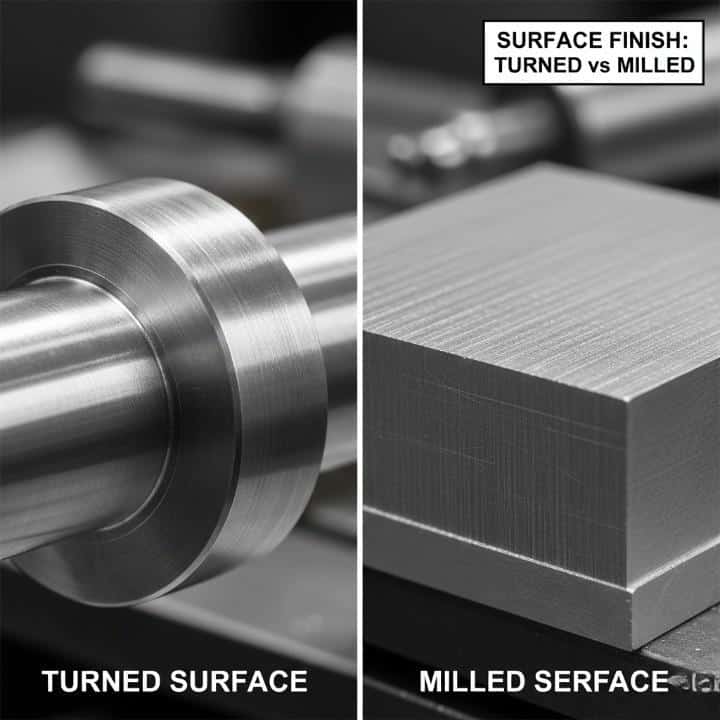
Surface finish depends heavily on cutting parameters.
- Roughing cuts → fast, rough surface
- Finishing cuts → slower, smooth surface
Typical surface roughness:
- Ra 3.2 µm → standard finish
- Ra 0.8 µm → fine finish
Even a small vibration during machining can leave visible marks, especially on aluminum.
Most beginners push speed too much, which directly hurts surface quality.
CNC Machining Advantages
- High precision
- Repeatable results
- Scalable production
- Less human error
CNC Machining Disadvantages
- High initial cost
- Learning curve
- Setup time can be long
Common CNC Beginner Mistakes
- Wrong feed and speed settings
- Poor clamping
- Ignoring tool wear
- Skipping simulation
One failure I’ve seen many times: a tool breaks mid-cut due to aggressive feed rates. That usually damages both the tool and the part.
Another common issue is tool wear. Even slightly worn tools can ruin tolerance and surface finish.
CNC Machining vs Manual Machining
| Feature | Manual | CNC |
|---|---|---|
| Control | Human | Computer |
| Precision | Medium | High |
| Speed | Slow | Fast |
| Repeatability | Low | Very High |
Manual machining is skill-based. CNC machining is system-based.
Real-World CNC Scenarios
Scenario 1: First part comes out wrong → usually incorrect zero point.
Scenario 2: Tool breaks during machining → feed rate or RPM mismatch.
Scenario 3: Surface finish looks poor → tool wear or vibration.
These are situations almost every beginner runs into.
Reality Check
Normal: small surface marks
Problem: chatter, vibration, rough finish
Ignore: tiny cosmetic imperfections
FAQ
Is CNC machining hard to learn?
No. The basics are straightforward, but real improvement comes from hands-on practice and understanding setups.
Do I need to learn G-code?
Eventually yes, but beginners can start with CAM software and learn gradually.
What materials can CNC machines cut?
Most machines can handle metals, plastics, and composites depending on tooling and setup.
What is CNC machining used for?
It’s used in industries like automotive, aerospace, medical, and manufacturing for producing precise and repeatable parts.
What is the CNC milling vs turning difference?
Milling uses a rotating tool, while turning rotates the workpiece.
Final Thoughts
CNC machining isn’t about pressing start. It’s about understanding the process, setting things up correctly, and controlling every step.
Once you start thinking like the machine, everything becomes clearer — and your results improve fast.